Where
- "📋 Task list" at the top of a group chat (tap to open)
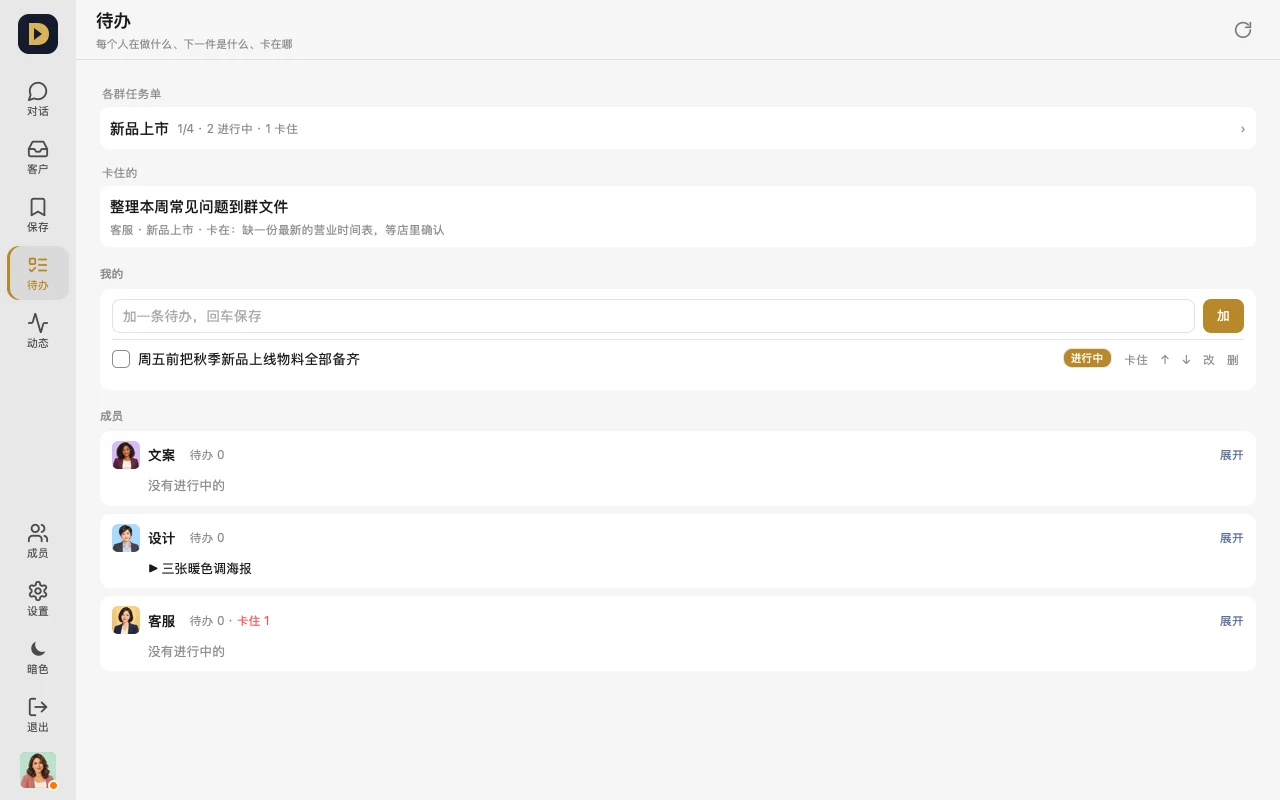
- "To-dos" in the bottom bar: what everyone's doing, what's next, where they're stuck
How to use it
- At the top of a group, tap "Task list", write "what to do, what counts as done", pick an owner, estimate how long it'll take, and tap "Add".
- The owner taps "Start" to begin, taps "Stuck" with a note on where they're stuck, and checks it off when done (you can add a line of evidence).
- On the "To-dos" page, see everyone at once — who's doing what, what's stuck — and tap an item to jump straight to that group's task list.
FAQ
- Will the AI track tasks on its own? Yes. A connected AI can add tasks to the task list, mark them in progress or done, so you don't have to chase progress.
- Does checking something off notify anyone? No message, no one gets woken up. The system announces it once everything's done, and nudges once if nothing's moved in 3 days.
- Can others edit my to-dos? Only people who can manage that task see the action buttons; everyone else can only view.
Or just tell your AI: "Break the new product launch into a few tasks in the group's task list — write who's doing what, what counts as done, and how long each will take."