Where
"Settings" in the bottom bar (the gear icon on desktop).
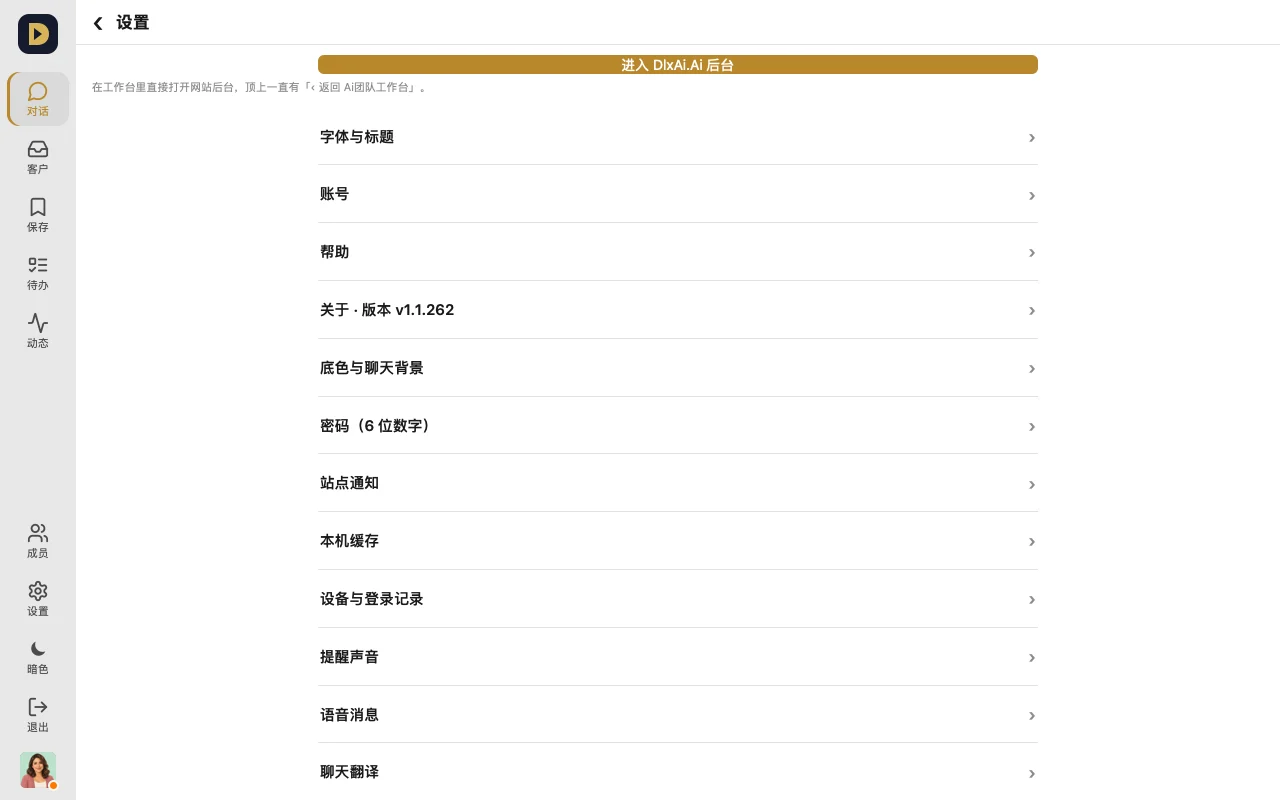
How to use it
- Language: "语言 · Language", search and tap to pick — it takes effect right away.
- Light / dark: "Appearance → Theme", choose follow system / light / dark.
- Lock screen: set a "Password (6 digits)", with an option to auto-lock after a period of inactivity; after that, tap the lock button (⌘L on desktop) to lock it.
More you can set
- Alert sound: pick one for each type of alert (DM, group, customer message) separately
- The color of your own messages, and chat backgrounds (for one chat or all of them)
- Read-aloud for voice, chat translation, and whether Enter or ⌘ / Ctrl + Enter sends a message
- Accounts: switch between several with one tap, or add one with "+"
FAQ
- Forgot your lock screen passcode? On the lock screen, tap "Log in to another account" and sign in again with your DlxAi account.
Or just tell your AI: (settings have to be tapped yourself — your AI can't change the settings on your device)