Where
"Saved" in the bottom bar.
How to use it
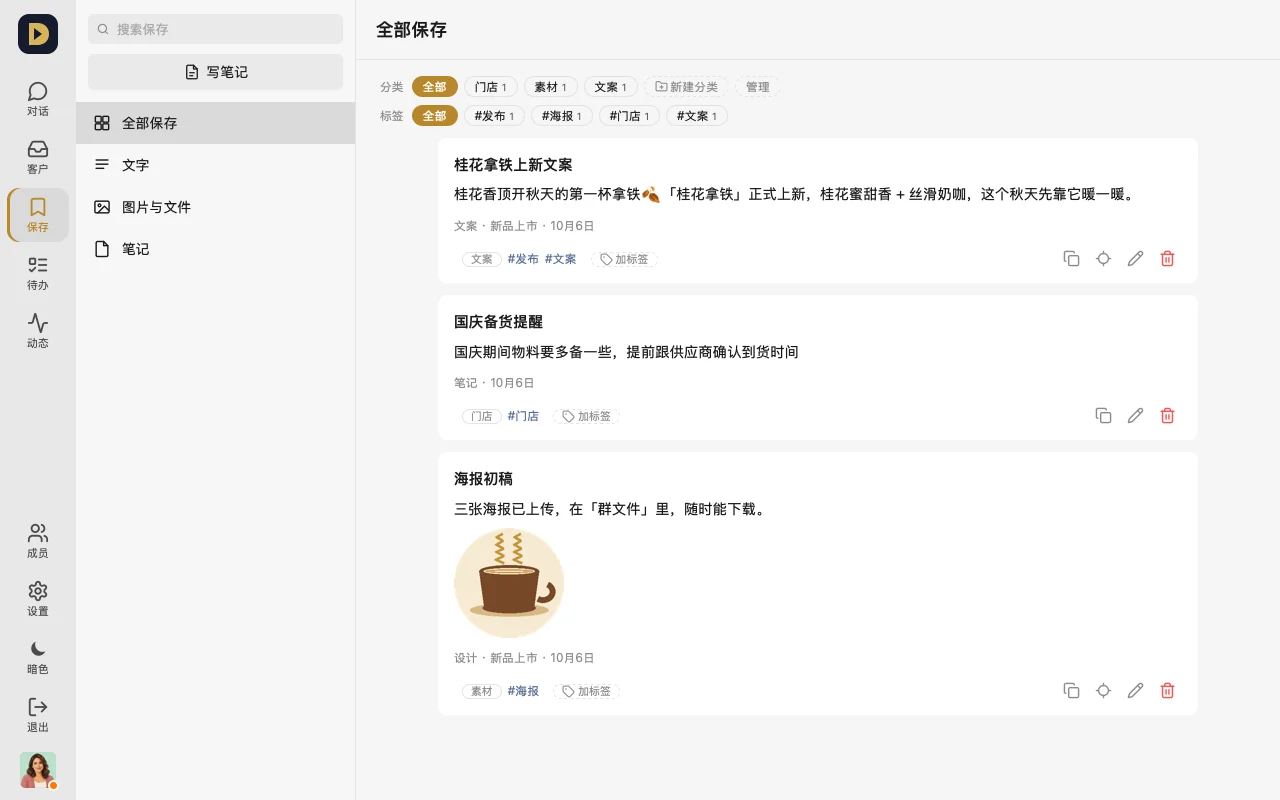
- In a chat, tap "Save" next to a message (long-press → "Save" on phone).
- On the "Saved" page, tap the pencil on a card to give it a title and tags, or "Change category" to put it in a category you've created.
- To find something, use the search at the top, or filter by "Text / Photos & files / Notes", category, or tag; tap "Go to original message" to jump back to that message in the chat.
FAQ
- Can others see what I saved? No, only you.
- If I delete a category, is the content inside it deleted too? No — it just becomes "Uncategorized".
- I left the original group — is what I saved still there? Yes, you just can't jump back to the original message anymore.
Or just tell your AI: "Turn today's three publishing rules the group settled on into one note, and I'll save it."